
Favicon

You are here: Home > Device Management > Apple > macOS > Policies > Software License Agreement

Configure Software License Agreements

Configure Software License Agreements (EULAs) for macOS Devices in Applivery — enforce acceptance before App access using Policies.

4 min read

TL;DR

Learn how to upload and configure software license agreements in Applivery to ensure users accept the terms before using the software.

Software license agreements vary in type, depending on the nature of the software and the manner in which it is licensed for use by third parties.

As software is protected by copyright law, it must be licensed by the owner to authorize third parties to use it. Software may be distributed either directly by the developer or owner or indirectly through third-party distributors.

An End User License Agreement (EULA) is a form of software license that grants an end user the right to use the software and defines the terms and conditions for its usage.

EULAs are typically agreements between the software owner or developer (the licensor) and the individual or entity using the software (the licensee).

Configuration

1
Upload the File

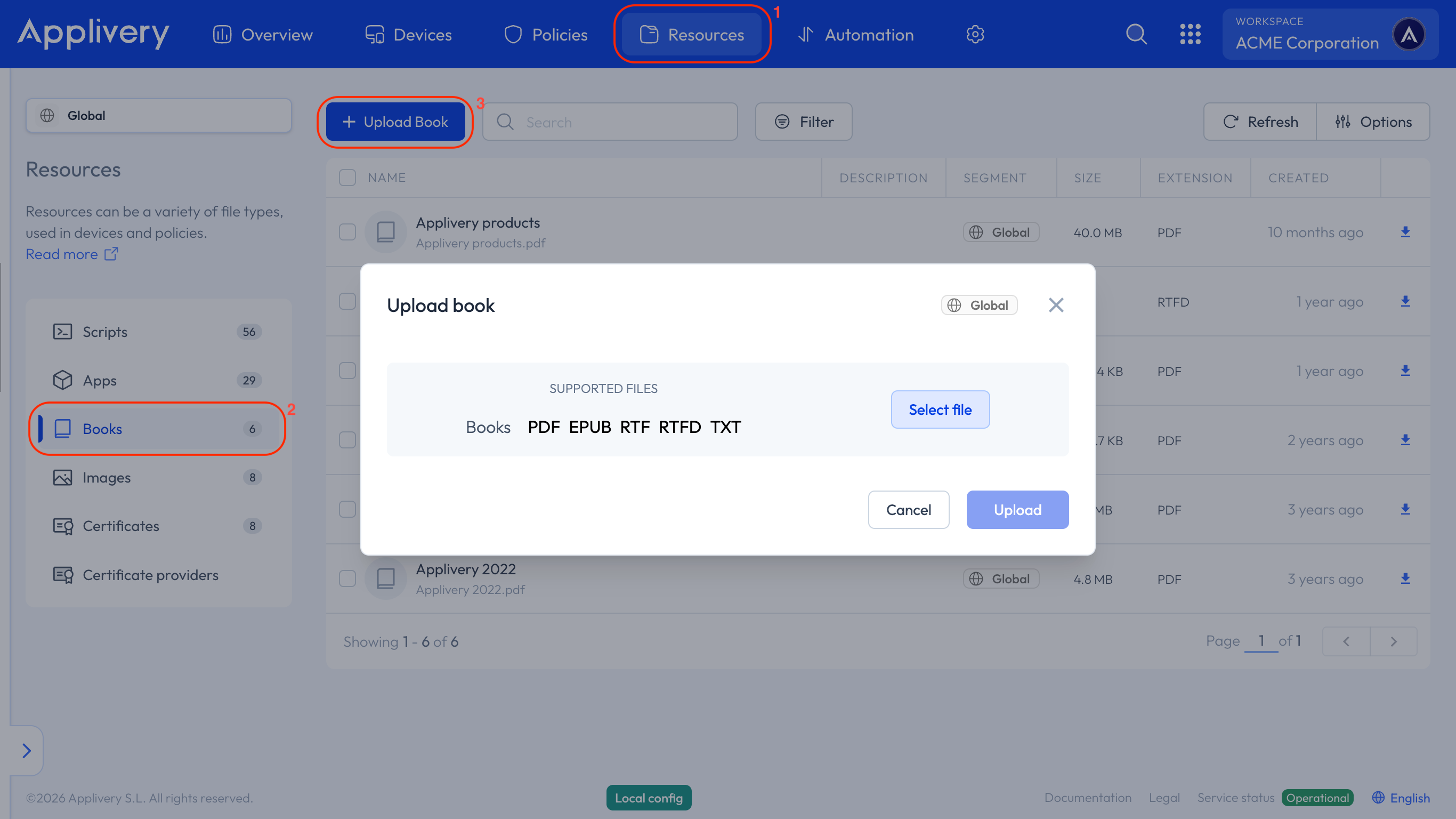
Once in the Applivery Dashboard, head to the Resources 1 section. From the left-hand menu, select the Books 2 tab and click the + Upload Book 3 button.

A modal view will appear, allowing you to upload files in .pdf, .epub, .rtf, .rtfd and .txt formats.
books
2
Configure your Policy

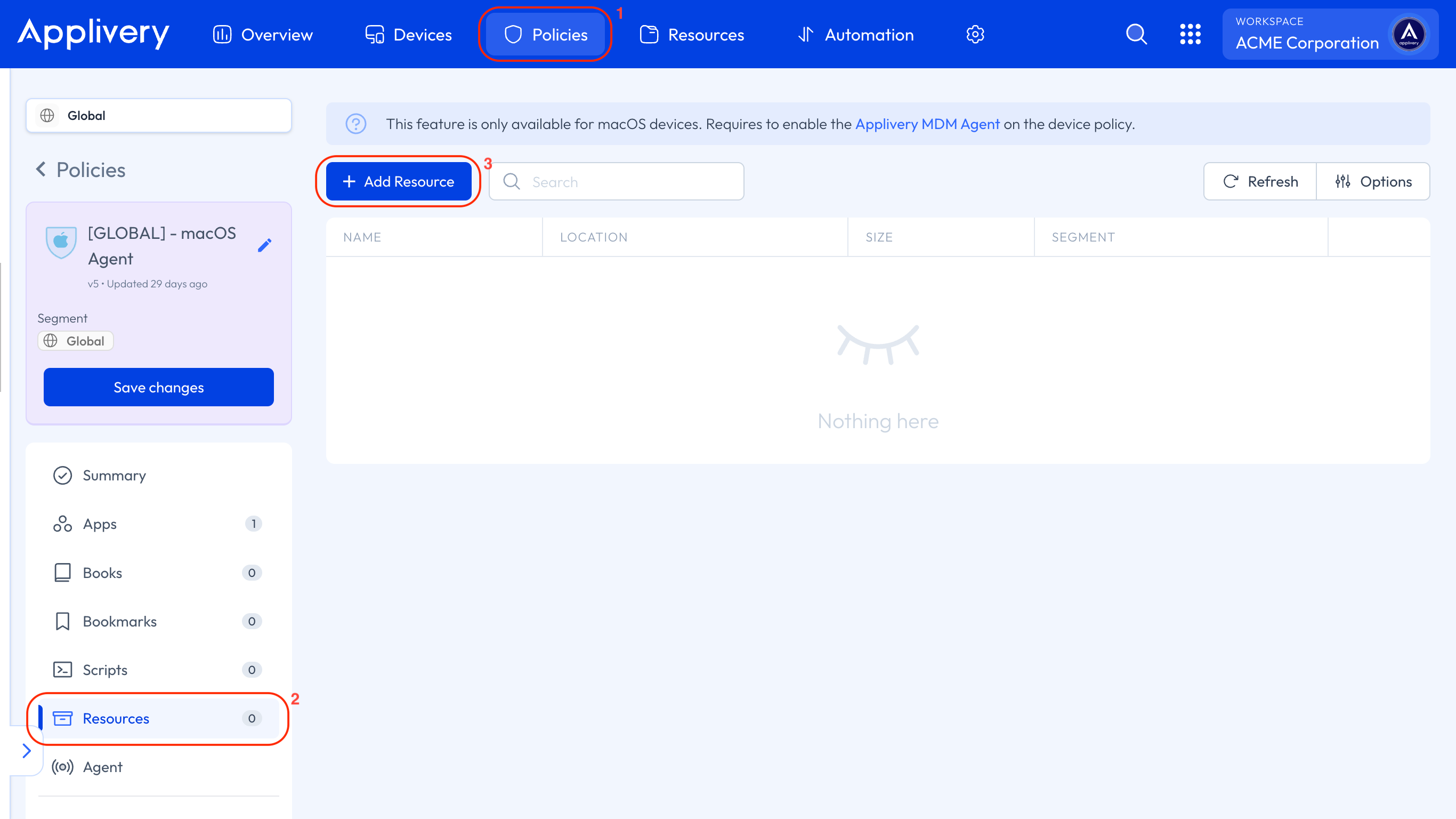
After uploading the file, navigate to any of your Policies 4 or create a new one. Select the Resources 5 section from the left-hand menu, and click the + Add Resource button.
add book

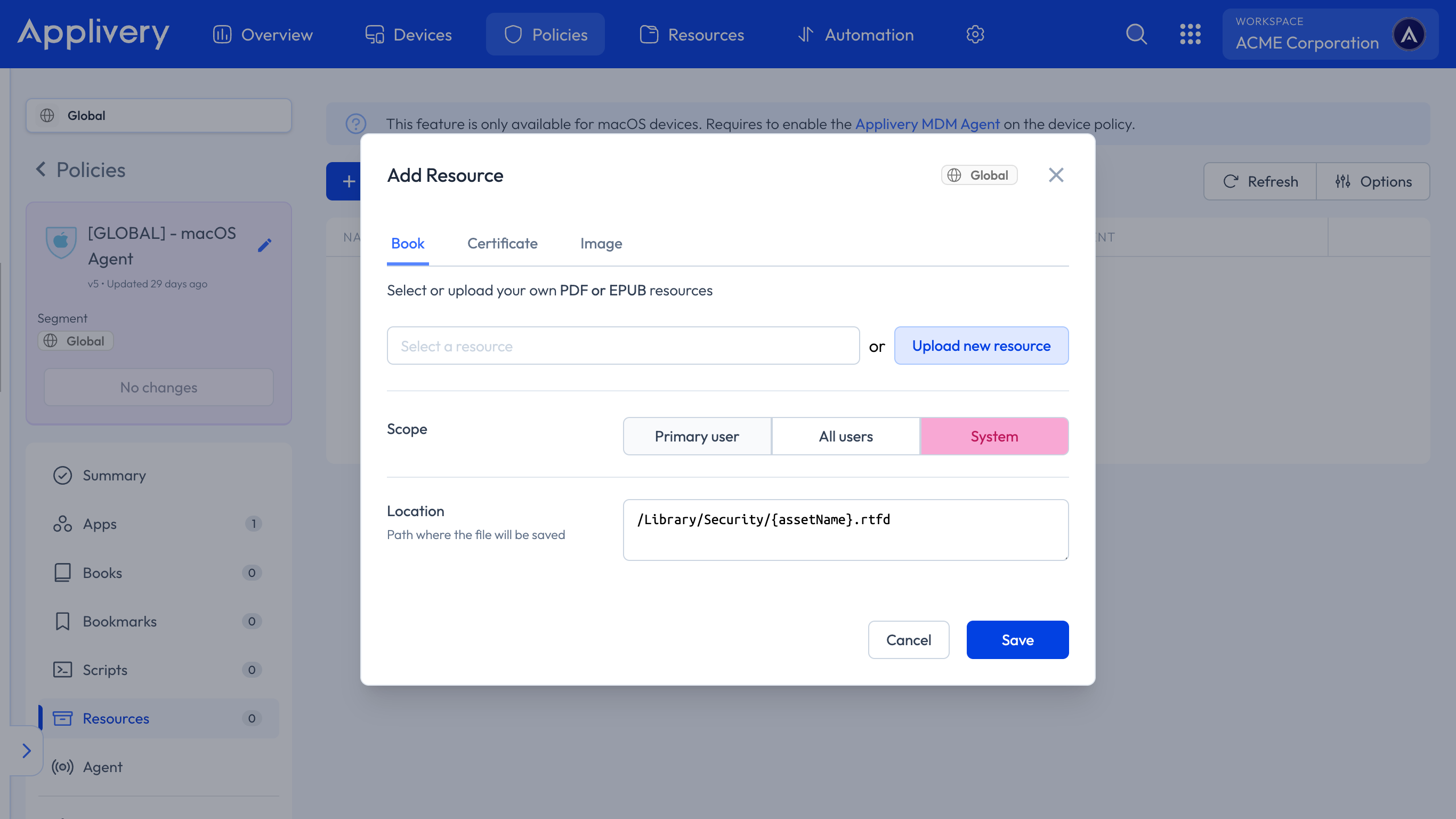
In the modal view, switch to the Book tab, where you can either select the file you uploaded earlier or upload a new one. Next, set the scope to System.

The path to define must be /Library/Security/{assetName}.rtfd.
policy book
3
Log in on the Device

When the user attempts to log in on the Device, a new window will open showing the document. The login process will be blocked until the user accepts the terms. Only after agreeing to the terms will they be able to proceed with the login.

Key Takeaways

  • Software license agreements are essential for legal software usage.
  • EULAs define the terms and conditions for software use.
  • Applivery allows you to configure policies for software licenses.

A EULA is a software license granting an end user the right to use software under specific terms and conditions.

EULAs are agreements between the software owner/developer (licensor) and the individual/entity using the software (licensee).

In the Applivery Dashboard, go to Resources > Books and click '+ Upload Book'. You can upload files in .pdf, .epub, .rtf, .rtfd, and .txt formats.

Navigate to Policies, select a policy or create a new one, then go to the Resources section and click '+ Add Resource'.

Applivery supports uploading book files in .pdf, .epub, .rtf, .rtfd, and .txt formats.

When configuring a book resource in Applivery, set the scope to 'System'.

The path to define for a book resource in Applivery must be `/Library/Security/{assetName}.rtfd`.

When the user logs in, a window opens showing the document. Login is blocked until the user accepts the terms.

Last updated: June 9, 2026